MULTI-USER MANAGEMENT/INDIVIDUAL BUDGETS
THE WURTH E-SHOP IS DESIGNED TO MANAGE MULTIPLE USERS FOR ONE CUSTOMER ACCOUNT
A. CREATING NEW USERS
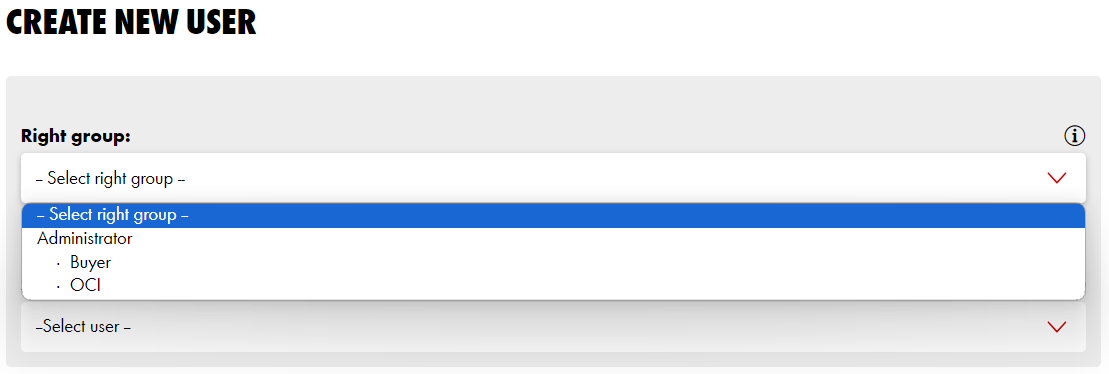
New users can be created on the customer’s account. The authorised user that may create additional users needs to be assigned as an ADMINISTRATOR in the right group.
1. Once you are logged in, click on MY WURTH and select MY ACCOUNT
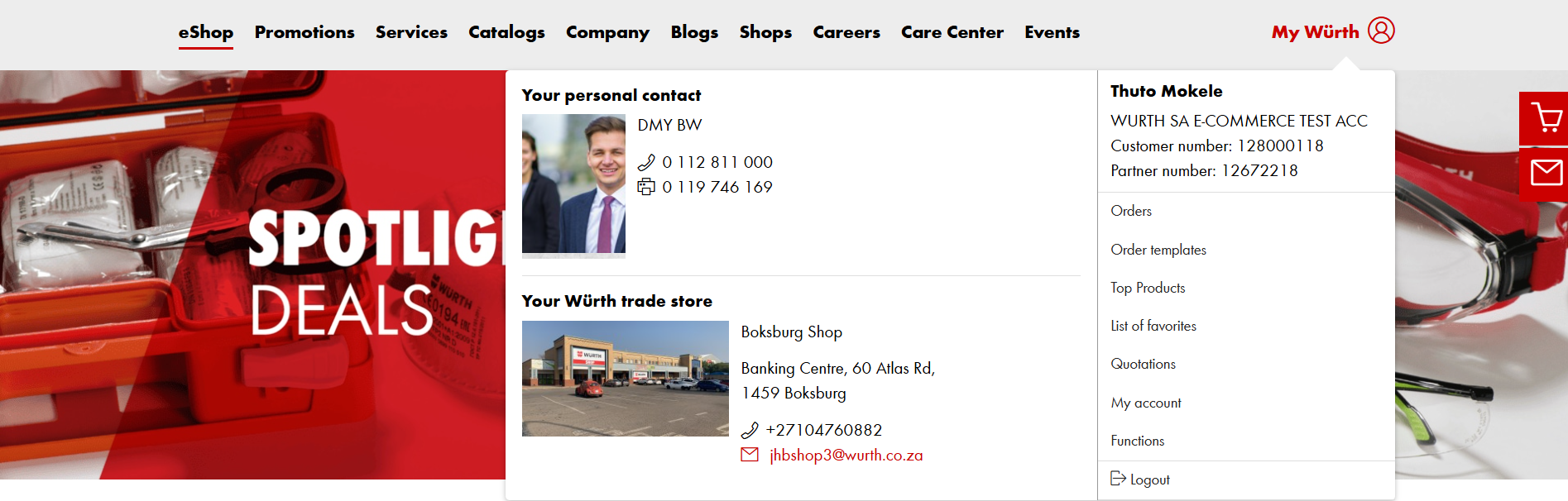
2. On the left hand side, select USER ADMINISTRATION
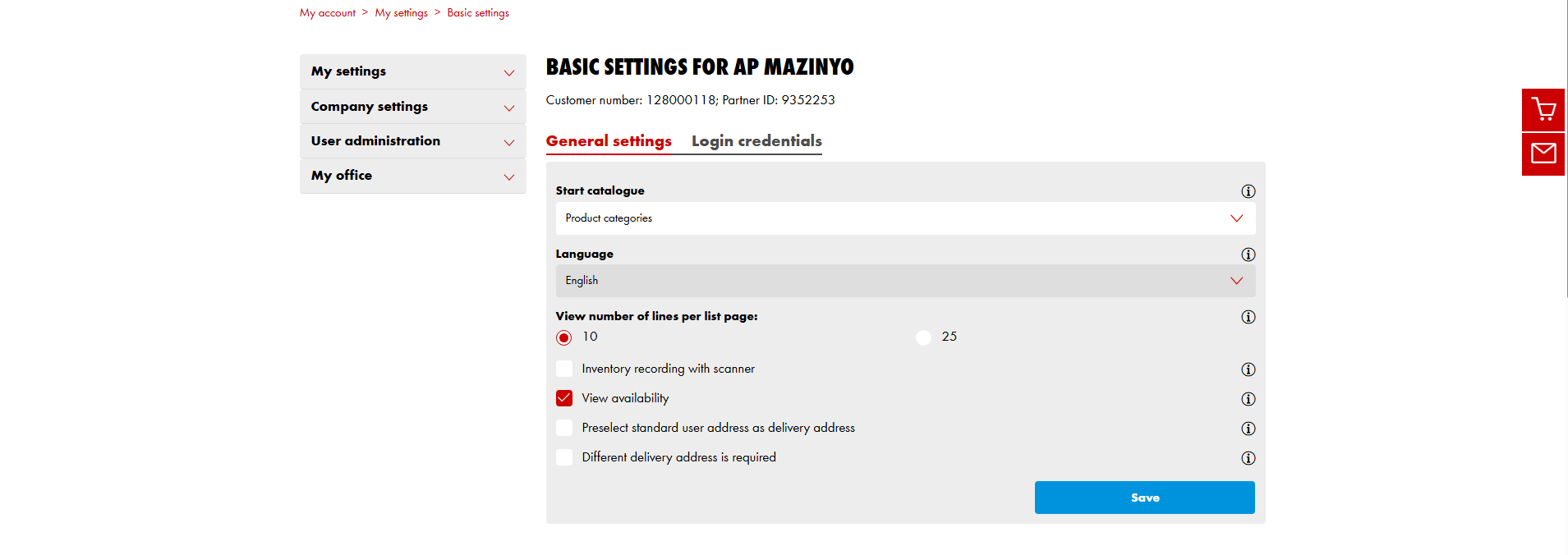
3. Click on CREATE NEW USER
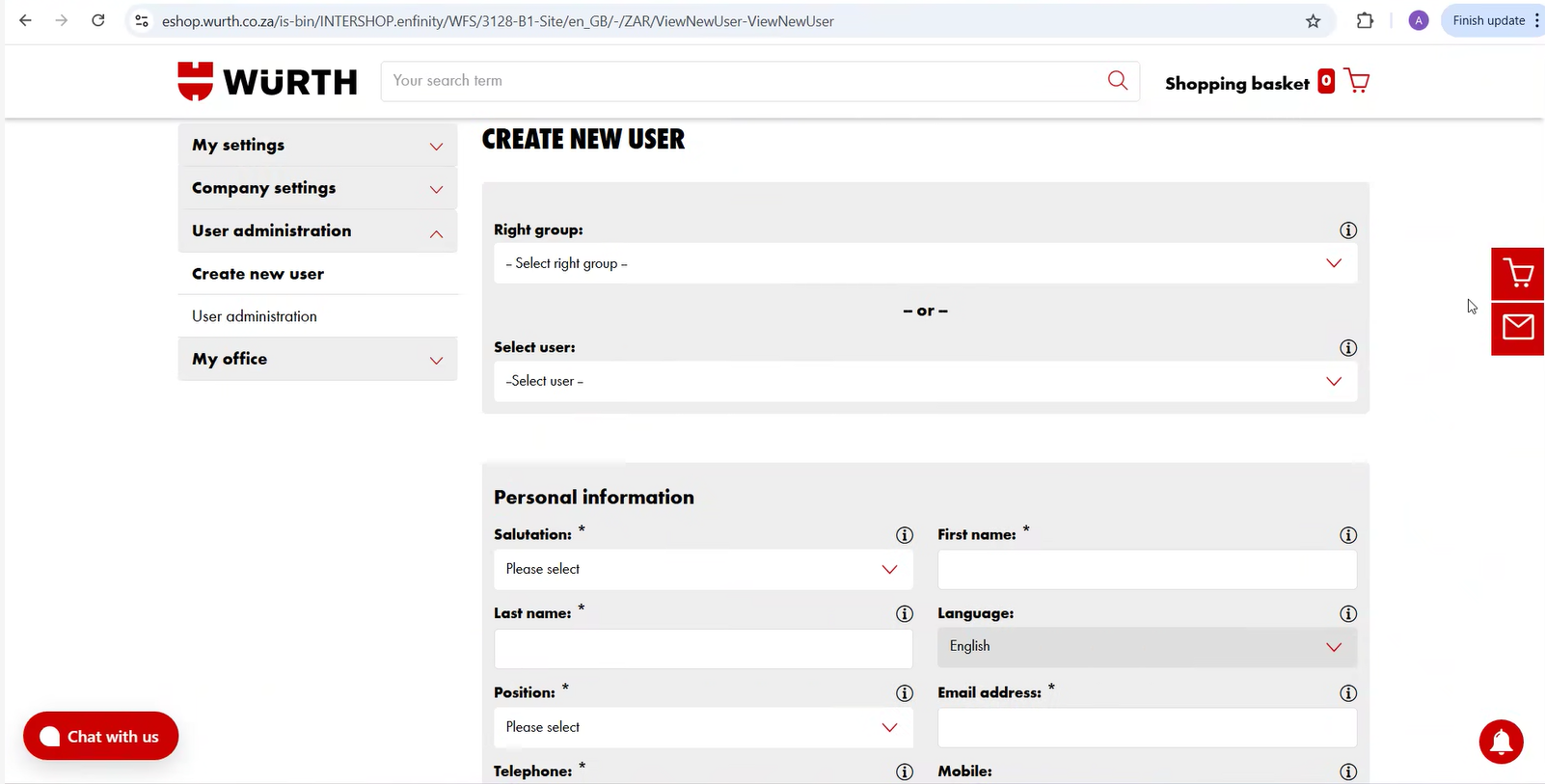
4. Assign a right group to the user
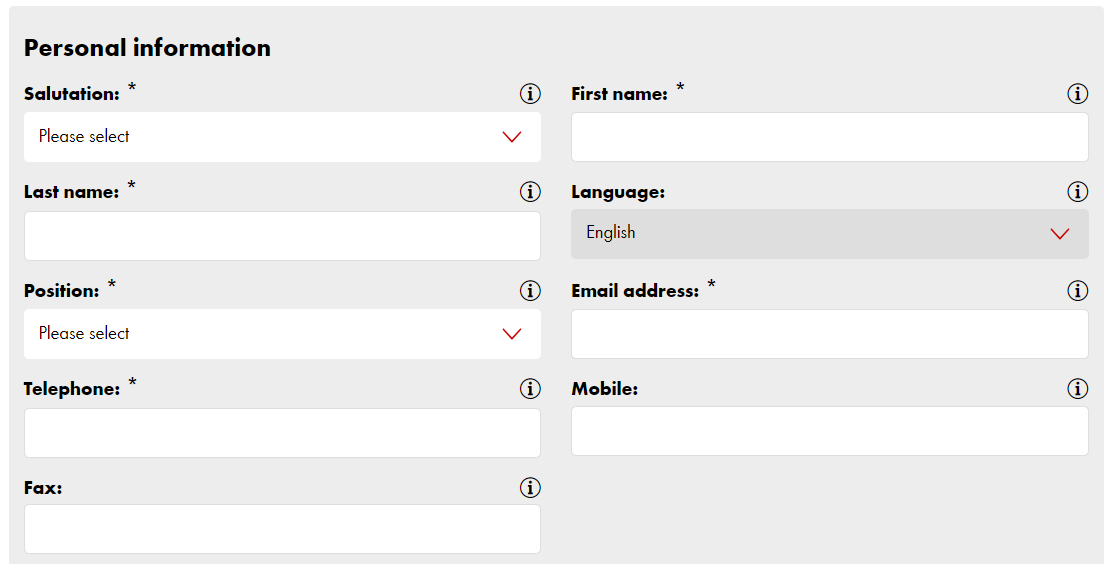
5. Complete the information as requested
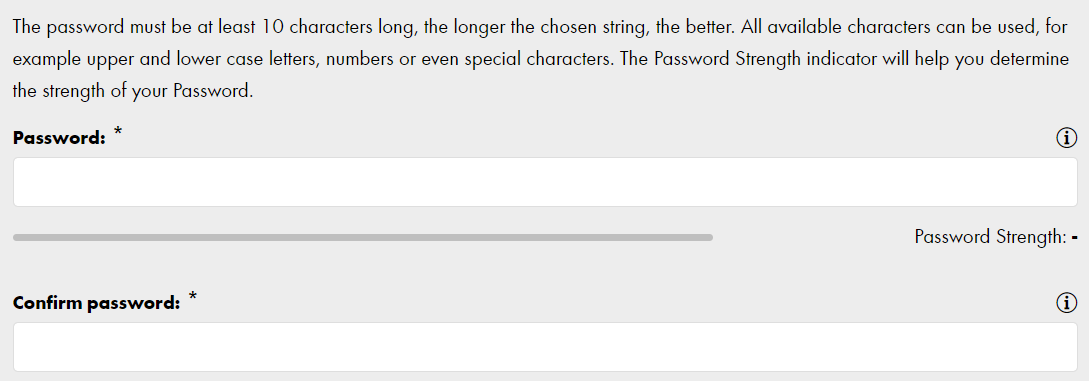
6. Create your password, AT LEAST 10 CHARACTERS LONG
Please subscribe to our newsletter so that you don’t miss out on any news and special promotions. Click on CREATE USER once all relevant fields are completed

The new user will receive an email from web support containing all their login information
B. HOW TO VIEW ALL USERS ASSIGNED TO THE ACCOUNT
1. From your home page, click on MY WURTH, then MY ACCOUNT and select USER ADMINISTRATION
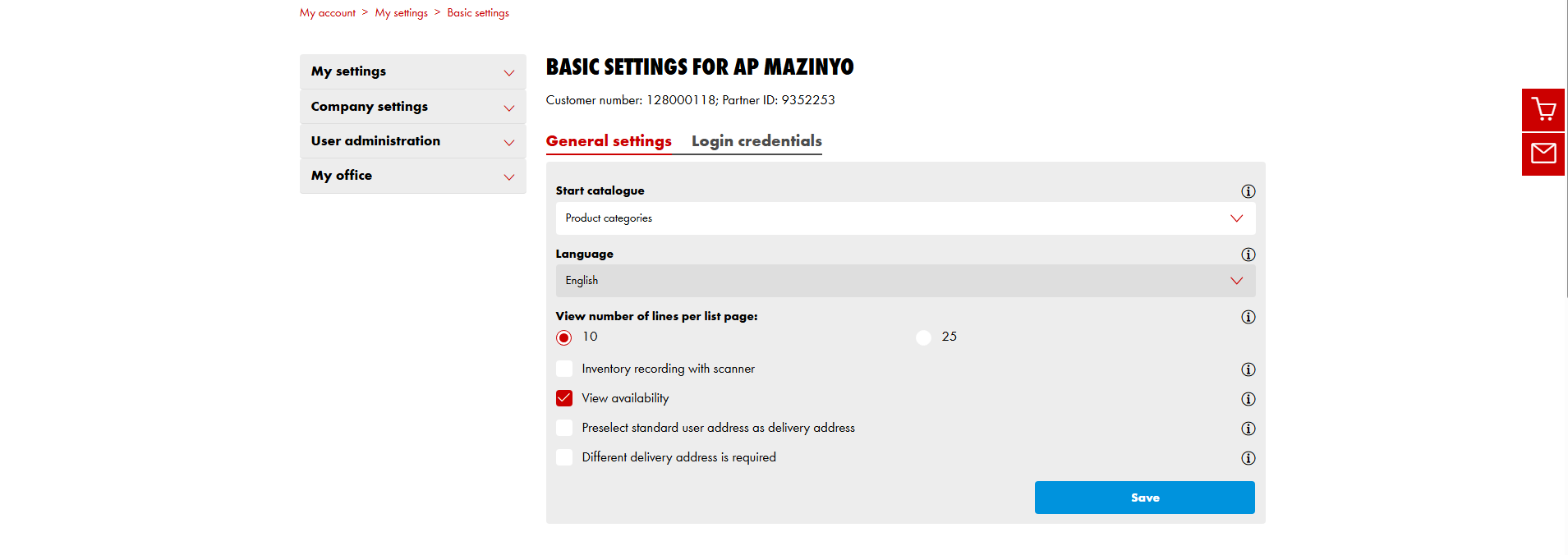
2. The user administration overview shows all users, their partner number and the assigned rights.

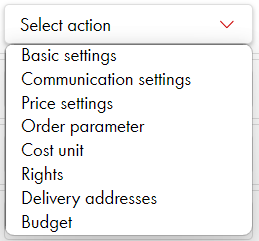
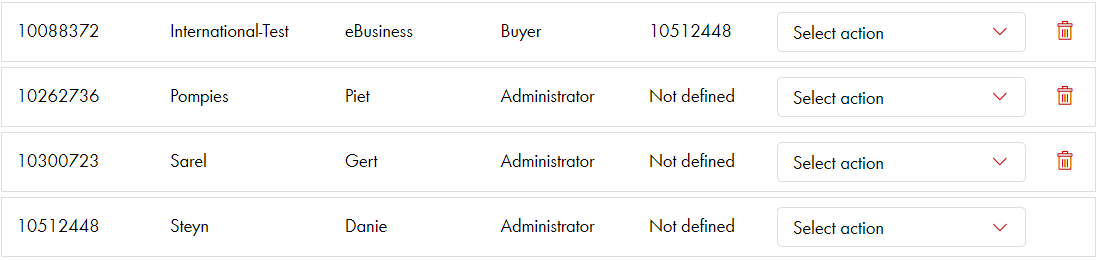
C. TO ASSIGN INDIVIDUAL BUDGETS AND OTHER SETTINGS
Under SELECT ACTION on the right hand side, all settings can be done and changed by an administrator. PLEASE NOTE: In order to prevent a user from editing his rights or budgets himself, the right group BUYER must be assigned.
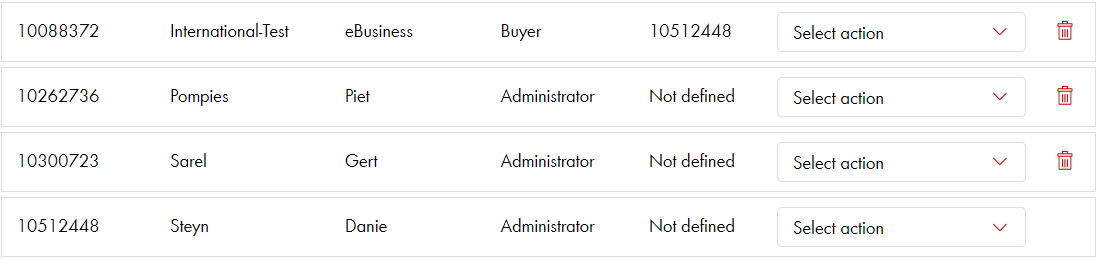
In here, you can set and assign individual budgets (amount and per period of time) or any other setting per user.
<style> @font-face { font-family: 'Wuerth Extra Bold Condensed'; / Assuming the file is named wuerthextraboldcond_webfont3.woff2 / src: url('https://connect.apps.onasik.co.za/static/fonts/wuerthextraboldcond_webfont3.044e6f7bd361.woff2'); font-weight: normal; font-style: normal; font-display: swap; } img { border: 4px solid #CC0000; box-shadow: 4px 4px 10px rgba(0,0,0,0.3); } @font-face { font-family: 'Wuerth Book'; / Assuming the file is named wuerthbook_webfont3.woff2 / src: url(https://connect.apps.onasik.co.za/static/fonts/wuerthbook_webfont3.6ef4245a256a.woff2'); font-weight: normal; font-style: normal; font-display: swap; }
@font-face { font-family: 'Wuerth Bold'; / Assuming the file is named wuerthbold_webfont3.woff2 / src: url('https://connect.apps.onasik.co.za/static/fonts/wuerthbold_webfont3.aeb3b650d31e.woff2'); font-weight: bold; / Kept as bold, adjust if the font file itself is just normal weight / font-style: normal; font-display: swap; } body { font-family: 'Wuerth Book', sans-serif; / Fallback to sans-serif / font-size: 16px; }
h1, h2, h3, h4, h5, h6 { font-family: 'Wuerth Bold', sans-serif; / Use bold for headings / / You might use 'Wuerth Extra Bold Condensed' for specific headings / }
/ Optional: Use Wuerth Bold for strong/b tags / strong, b { font-family: 'Wuerth Bold', sans-serif; font-weight: normal; / Reset default bold if the font itself is bold / } blockquote { border-left: 5px solid #cc0000; } </style>